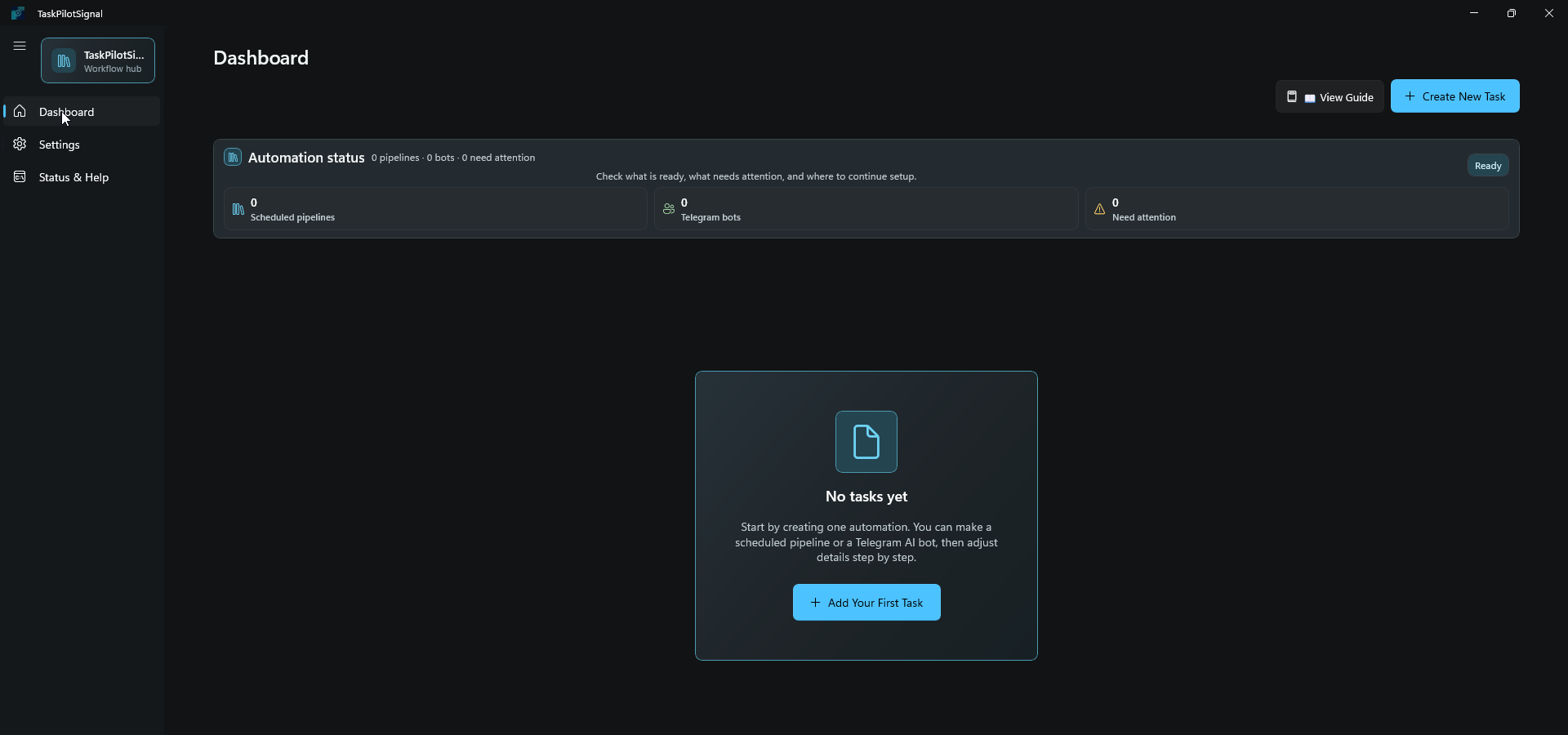
TaskPilotSignal runs on your Windows PC, summarizes websites, YouTube, and API docs with your AI tools, then delivers results to Telegram, Notion, an existing NotebookLM notebook, or local documents.
Version 1.2.0.0
TaskPilotSignal은 내 Windows PC에서 실행되며 웹사이트, YouTube, API 문서를 사용자의 AI 도구로 요약해 Telegram, Notion, 기존 NotebookLM 노트북 또는 로컬 문서로 전달합니다.
버전 1.2.0.0
TaskPilotSignal works best when you already check the same sources every day or week. These are the first workflows to try.
Watch pricing pages, release notes, blogs, and landing pages. Receive a short Telegram summary every morning.
Monitor a channel or playlist, summarize new videos, and keep action points for content planning.
Check a public endpoint or API document, then turn the result into a scheduled briefing when the source is usable.
Collect market, product, or customer updates and save the summary to Notion, an existing NotebookLM notebook, or local TXT, HTML, and DOCX files.
TaskPilotSignal은 매일 또는 매주 같은 출처를 확인하는 업무에 가장 잘 맞습니다. 먼저 아래 흐름부터 시도해보세요.
가격 페이지, 릴리스 노트, 블로그, 랜딩페이지를 확인하고 매일 아침 Telegram 요약을 받습니다.
채널이나 플레이리스트의 새 영상을 확인하고 핵심 내용과 콘텐츠 아이디어를 정리합니다.
공개 엔드포인트나 API 문서를 확인하고, 사용 가능한 출처라면 예약 브리핑 작업으로 전환합니다.
시장, 제품, 고객 업데이트를 모아 Notion, 기존 NotebookLM 노트북 또는 로컬 TXT, HTML, DOCX 보고서로 저장합니다.
Create scheduled AI pipelines, manage Telegram bot assistants, and connect delivery targets from one native desktop app.
예약 AI 파이프라인, 텔레그램 AI 봇, 전달 대상 연결을 하나의 네이티브 데스크톱 앱에서 관리합니다.
Analyze YouTube, web, and API content with AI, then deliver to Telegram, Notion, NotebookLM, or local documents.
Manage Claude, Antigravity (Gemini), Codex, and optional Ollama local models in one unified Telegram bot.
No coding required. A WinUI 3 desktop app designed for everyone on Windows.
Supported local secrets are protected with Windows DPAPI. The app does not rely on a separate developer-run backend.
YouTube, 웹, API 콘텐츠를 AI로 분석하고 Telegram, Notion, NotebookLM 또는 로컬 문서로 전달합니다.
Claude, Antigravity(Gemini), Codex와 선택 기능인 Ollama 로컬 모델을 텔레그램에서 통합 관리합니다.
코딩 없이 사용할 수 있는 WinUI 3 데스크톱 앱. Windows 전용.
지원되는 로컬 민감 정보는 Windows DPAPI로 보호되며, 별도의 개발자 운영 백엔드에 의존하지 않습니다.
The app keeps the setup local and walks you from source selection to delivery.
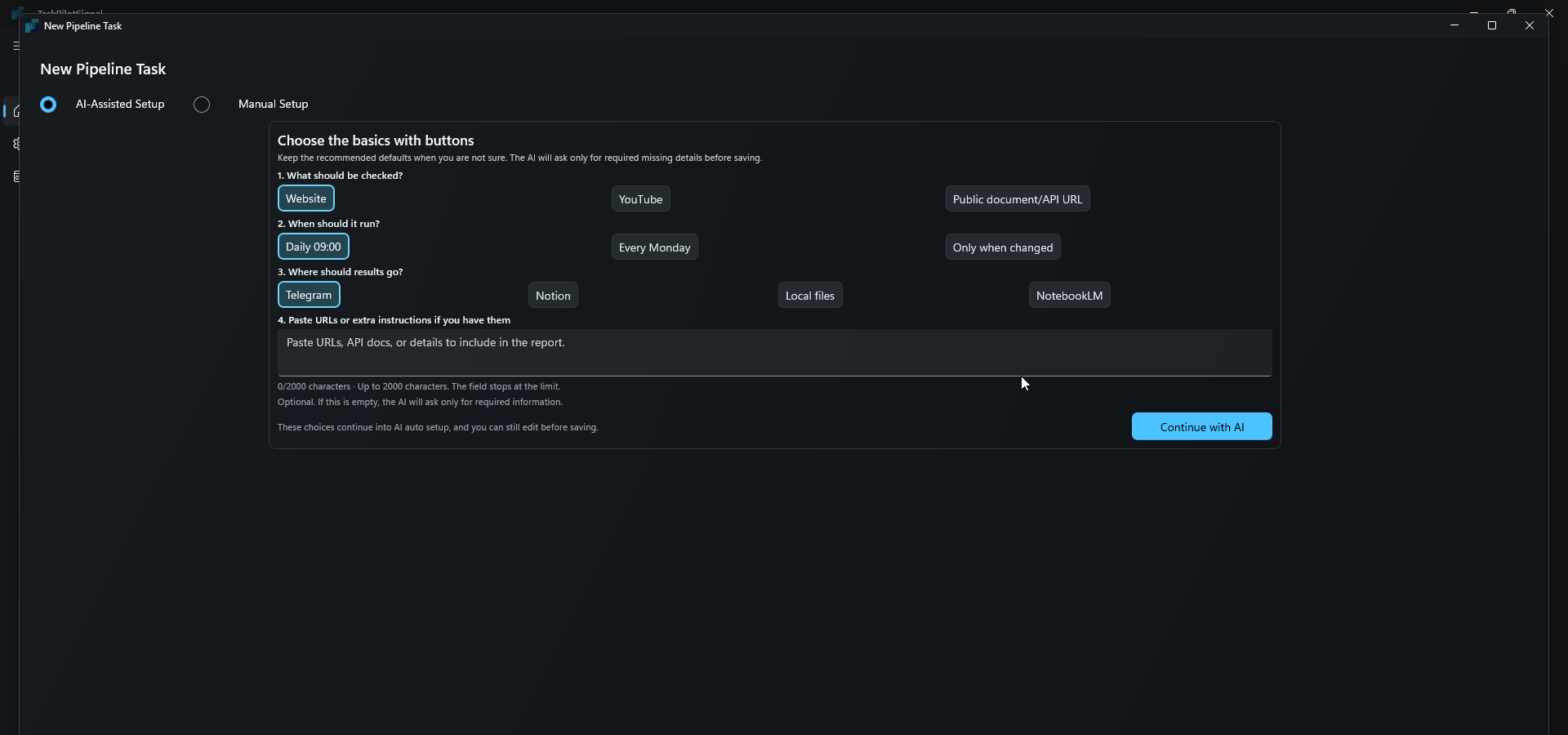
Use a web page, YouTube channel, public API document, or a research topic.
Select your connected AI tool or Ollama model, then choose when the task should run.
Send the summary to Telegram or Notion, append it to an existing NotebookLM notebook, or save local TXT, HTML, and DOCX files.
Use Telegram follow-up replies for pipeline notifications when the workflow is configured.
설정은 내 PC에 두고, 출처 선택부터 결과 전달까지 단계적으로 진행합니다.
웹페이지, YouTube 채널, 공개 API 문서, 리서치 주제를 사용할 수 있습니다.
연결된 AI 도구나 Ollama 모델을 고르고, 언제 실행할지 정합니다.
요약 결과를 Telegram이나 Notion으로 보내고, 기존 NotebookLM 노트북에 추가하거나 로컬 TXT, HTML, DOCX 파일로 저장합니다.
설정된 경우 Telegram 파이프라인 알림에서 후속 답장을 이어갈 수 있습니다.
The landing page stays focused on the workflow. Setup, update history, and support are separated so users can find the right next step.
Pipeline creation, Telegram bot tokens, NotebookLM Personal, local document output, and Ollama setup.
Open guideWhere to get help, what information to include, and how to avoid sharing secrets.
Open supportSign in visibly to append output to an existing NotebookLM notebook, or save TXT, HTML, and DOCX files in the app-owned per-user workspace and open that folder directly.
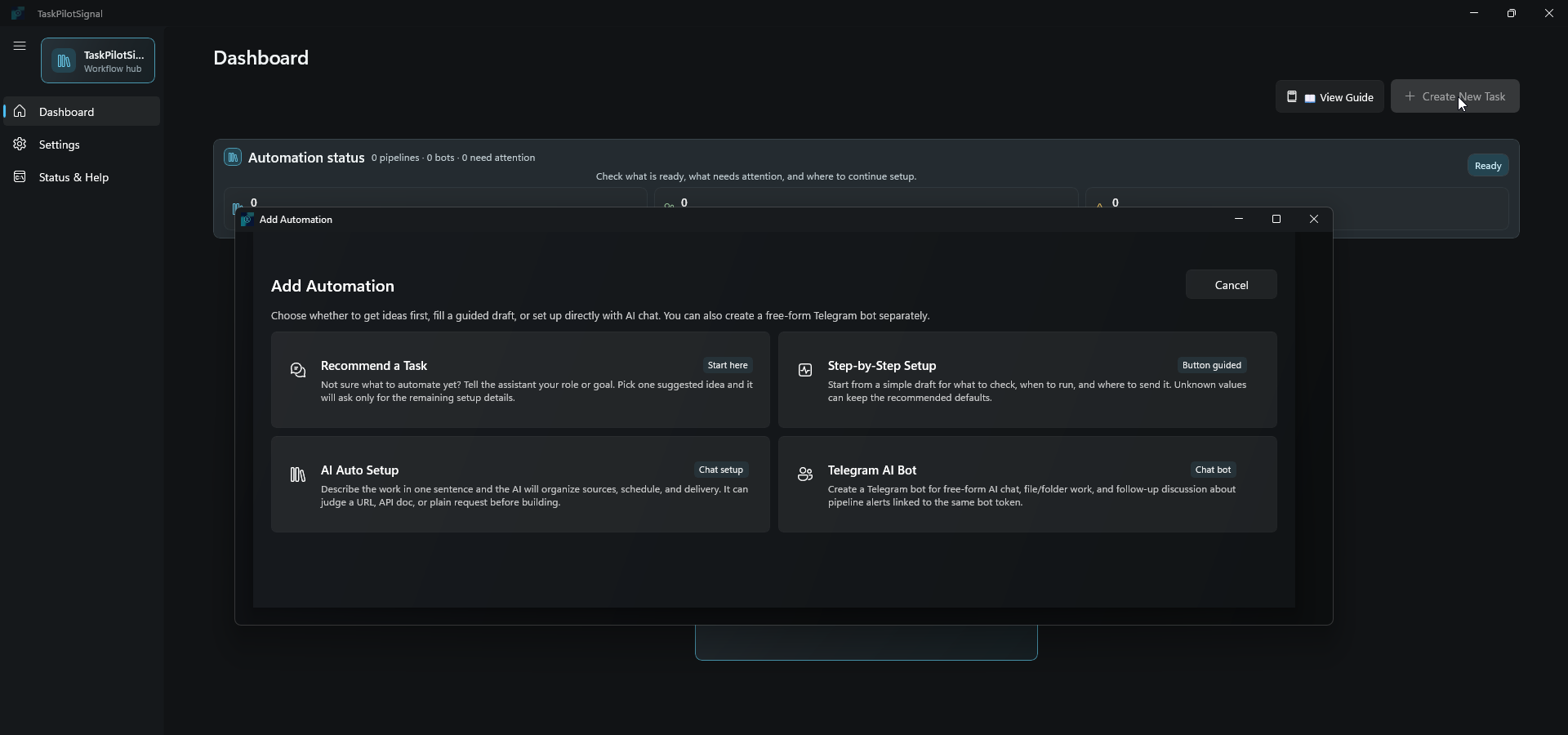
Start from recommendations, a guided draft, AI setup, or a Telegram bot, then use Status & Help for safe next-step guidance.
Optional local AI support is included for users who install Ollama, start it, and download a local model on their own PC.
Signed public model metadata and connected CLI discovery can refresh model choices without an app update. If refresh is unavailable or cannot be verified, the app keeps a compatible verified choice already available on this PC.
보이는 브라우저에서 직접 로그인해 기존 NotebookLM 노트북에 결과를 추가하거나, 앱 전용 사용자별 작업공간에 TXT, HTML, DOCX 파일로 저장하고 폴더를 바로 엽니다.
작업 추천, 단계별 초안, AI 설정, Telegram 봇 중에서 시작하고 상태/도움말에서 안전한 다음 조치를 확인합니다.
Ollama를 설치하고 실행한 뒤 로컬 모델을 다운로드한 사용자가 선택할 수 있는 로컬 AI 옵션을 포함합니다.
서명된 공개 모델 정보와 연결된 CLI 탐지를 통해 앱 업데이트 없이 모델 선택지를 새로 확인합니다. 새로 고침을 사용할 수 없거나 검증하지 못하면 이 PC에서 이미 확인된 호환 선택지를 유지합니다.